

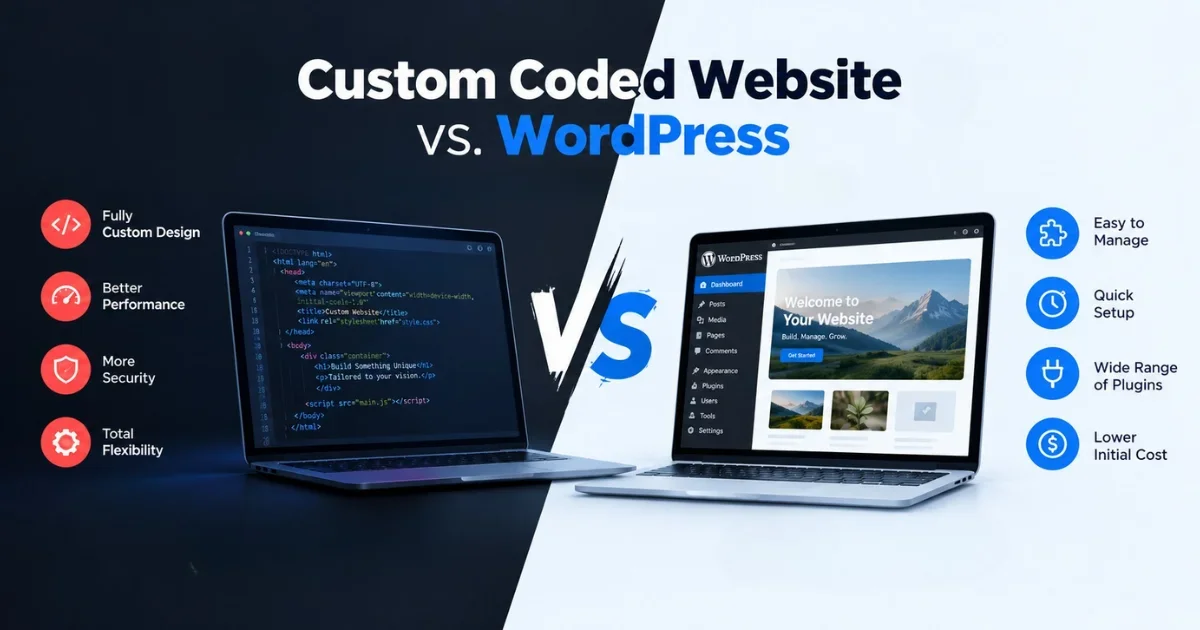
Custom Coded Website vs. WordPress: Which is Right for Your Business?

Almost every business owner hits this question when planning a website: should we build it custom, or just use WordPress? Developers will give you opposite answers depending on what they sell. A WordPress agency says WordPress. A software company says custom code.
The honest answer is that both are good tools, and both can be a costly mistake in the wrong situation. This guide walks through the decision with practical, real-world scenarios so you can choose based on your business, not on technology hype.
First Understand This: Custom Coded & WordPress Actually Mean What?
WordPress is a content management system (CMS), which is software that already has the foundation built: a dashboard, page editor, user logins, blog system, media library and more. You pick a theme for the design, add plugins for features (contact forms, SEO, payments, bookings), and add your content. Roughly four in ten websites on the internet run on it, which tells you how proven it is.
Custom coded means a developer or team builds your website from scratch for your specific needs, using frameworks and languages such as React, Next.js, Laravel, Django, Node.js or plain HTML/CSS/JavaScript. Nothing is pre-built unless the developer chooses to reuse a library. Every page, feature and admin panel exists because someone wrote it for you.
A simple analogy: WordPress website is like buying a well-built ready-made house and renovating it. Custom coded website is like hiring an architect to design and construct a house on empty land. The ready-made house is faster and cheaper, but you're limited by its structure. The custom house fits you perfectly, but it takes longer, costs more, and you depend on the builder.
Neither is automatically better. It depends on what you're building.
The Real Question: What Does Your Business Need?
Before comparing technologies, answer these plainly:
What is the main job of this website? (Get inquiries? Sell products? Deliver a service? Publish content?)
How many pages and how often will content change?
Do you need anything that doesn't exist as a standard feature, like a special calculator, a client portal or a custom booking logic?
How many visitors do you expect in a year or two?
Who will update the site day to day?
What is your realistic budget, including maintenance?
If your answers sound like "show our services, collect leads, publish blogs, update content ourselves," you are almost certainly a WordPress case. If they sound like "users log in, complete multi-step processes, and our business logic is unusual," you are leaning toward custom. The examples below make this concrete.
Real-World Example #1: Local Business

Scenario: A dental clinic, a coaching institute, a local interior designer, or a law firm wants a professional website. They need a home page, service pages, an about page, testimonials, a gallery, a contact form, a map, WhatsApp and call buttons, and a blog for local SEO.
Best choice: WordPress.
Why: Every feature on that list already exists as a mature, inexpensive solution. A good developer can have the site live in a few weeks. The clinic's receptionist can update opening hours, add a new doctor or publish a blog post without calling a developer. SEO plugins handle meta titles, sitemaps and schema markup.
What custom would add: Almost nothing the business would notice, at two to four times the cost. Paying for custom code here is like buying a truck to carry groceries.
Practical tip: Choose a lightweight theme, use a limited set of well-maintained plugins, and set up image compression and caching. Most "WordPress is slow" complaints come from heavy themes and 30 unnecessary plugins, not from WordPress itself.
Real-World Example #2: A Growing E-commerce Business

Scenario: A business sells 80 products online, with plans to reach 1,000. It needs a catalog, filters, payments, shipping rules, coupons, inventory tracking, order emails and customer accounts.
Best choice: WordPress with WooCommerce, or a dedicated platform like Shopify, at least at the start.
Why: Building a shopping cart, checkout, payment integration, tax logic and order management from scratch is expensive, and you would be reinventing features that already exist and are tested by millions of stores. Your money is better spent on products, photography and marketing.
When it changes: If you reach a scale or complexity where the platform becomes the bottleneck, such as thousands of orders a day, complicated B2B pricing per customer, multi-warehouse logic or a custom mobile app, you may move parts of the system to custom code. Many successful stores do this in stages, not on day one.
Common mistake: Building a custom store before validating that people actually buy. Prove the demand on a platform first, then invest in custom architecture when the numbers justify it.
Real-World Example #3: Business With a Unique Workflow

Scenario: A logistics company wants clients to log in, create shipment requests, get live status updates, download invoices, and have those requests routed automatically to drivers based on location and load. Or a school wants a system where teachers, parents and students each see different dashboards with attendance, fees and results.
Best choice: Custom coded (or a custom application with a WordPress marketing site in front).
Why: This is not really a "website." It is a web application. You could stretch WordPress with a dozen plugins to imitate it, but the result is usually fragile: plugins conflict, updates break workflows, and performance suffers. Every workaround adds risk.
With custom code you design the database, user roles and rules around your actual process. It scales cleanly, integrates with your other tools, and you aren't bending your business to fit someone else's software.
Practical tip: Even here, keep the public marketing pages (home, about, blog) on WordPress if the team wants easy editing, and build only the application portion custom. That brings us to the hybrid approach below.
Cost: Which One Is Actually Cheaper?
Upfront cost: WordPress is almost always cheaper to launch. You are paying for configuration, design adjustments and content, not for building a foundation. Custom projects require planning, design, development, testing and project management, so costs are commonly a multiple of a WordPress build.
Ongoing cost: This is where people get surprised.
For WordPress, expect:
Hosting
Premium theme or plugin licences (many are yearly renewals)
Regular updates, backups and security monitoring
Occasional developer help when a plugin conflict appears
For custom, expect:
Hosting (often cloud servers, which can scale in price with traffic)
Developer time for every change, even small ones, unless an admin panel was built for you
Ongoing maintenance of the code, libraries and server
The cost of fixing bugs that no community has already solved
The hidden cost on each side:
WordPress: cheap plugins stacked over the years can create technical debt and slow the site.
Custom: if the developer disappears and the code is poorly documented, you may need to pay another team to understand it or rebuild it.
Rule of thumb: If a standard solution covers about 80 to 90 percent of what you need, WordPress is cheaper over the lifetime of the site. If you would be fighting the platform on your core feature, custom becomes cheaper than the workarounds.
Speed of Development
WordPress wins clearly on speed to launch. A brochure or business site can go live in a few weeks. A well-scoped store can take a month or two.
Custom development takes longer because nothing exists yet. A real application typically needs several months: requirements, design, building, testing, fixing, deployment. Rushing it usually produces bugs that cost more later.
Why this matters for business: if you need to start collecting leads next month, a long custom build means months of lost revenue. If you are validating an idea, launching quickly on WordPress and learning from real users beats a perfect product nobody has seen.
A good compromise for uncertain projects is to launch a simple version first, learn what users actually do, and then invest in custom features where the data says it matters.
Website Speed & Performance
This topic is full of myths, so let's be fair.
Custom coded sites have the potential to be faster, because they contain only what you need. There is no unused plugin code, no extra database queries, and the developer controls how every page loads.
WordPress sites can also be fast, but they take discipline. Speed problems usually come from:
Heavy page-builder themes
Too many plugins
Large uncompressed images
Cheap shared hosting
No caching
A well-optimized WordPress site with quality hosting, caching, a CDN and compressed images can score very well and rank fine on Google. A badly built custom site can still be slow if the developer writes inefficient code or loads huge scripts.
Practical takeaway: Performance depends more on the quality of the build than on the platform. For a normal business site, a well-optimized WordPress site is fast enough that customers will not notice a difference. For applications with heavy data and many simultaneous users, custom architecture has a real performance advantage.
Security: WordPress vs Custom — What's Safer?
WordPress: Because it is so popular, it is also the most targeted. Attackers run automated scans looking for outdated plugins and weak passwords. The WordPress core itself is quite secure and updated frequently. Most hacked WordPress sites were compromised through outdated or abandoned plugins and themes, weak admin passwords, or pirated ("nulled") themes that come pre-infected.
Custom: A custom site is less likely to be hit by mass automated attacks because it does not share a known structure with millions of others. But it is not automatically secure. It is only as safe as the developer's skill. Mistakes like poor input validation, insecure login handling or unpatched libraries can create serious vulnerabilities, and there is no large community catching them for you.
Practical security habits for either option:
Keep everything updated (core, plugins, libraries, server)
Use strong, unique passwords and two-factor authentication
Keep regular, tested backups stored off the server
Use HTTPS, a firewall and limited admin access
Remove plugins and code you do not use
Never use pirated themes or plugins
The safest site is the one that is actively maintained, not the one built with a particular technology.
Who Will Manage the Website After Launch?
This question is skipped surprisingly often, and it decides whether your website succeeds in year two.
With WordPress, non-technical staff can usually handle routine work: editing text, uploading images, publishing blog posts, adding products. You still need someone technical for updates, backups and troubleshooting, whether that is an agency on a small monthly plan or a freelancer.
With custom code, it depends on what was built. If the developer created a good admin panel, your team can manage content. But structural changes, new features and bug fixes need a developer every time. That means you need an ongoing relationship with a developer or agency, clear documentation, and ideally access to the source code and hosting in your own name.
Questions to settle before launch:
Who owns the code, domain and hosting accounts? (It should be you.)
Who fixes problems at 9 p.m. when the checkout breaks?
Is there written documentation?
What happens if your developer becomes unavailable?
What Happens When Your Business Grows?
Growth tests both approaches differently.
WordPress growth: It handles growth well up to a point. Large media companies run on it. As traffic and complexity increase, you will need better hosting, caching layers, database optimization and tighter control over plugins. Eventually, very specific business logic may push you into awkward workarounds.
Custom growth: A well-architected custom system can grow with you, adding features, integrations, mobile apps and automation as the business evolves. But growth is not free. Each new feature is a development project, and a poorly planned foundation can become expensive to extend.
Signs you are outgrowing WordPress:
You rely on many plugins just to simulate one core feature
Updates regularly break something important
Your team is changing business processes to fit the website
Page load is slow even after optimization and better hosting
You need deep integration with internal systems like ERP, CRM or inventory
Signs your custom site is a burden:
Every small text or layout change requires a developer
Only one person understands the code
New features take months
Growth is a reason to review your setup regularly, not to panic-migrate.
What About a Hybrid Approach?
For many businesses, this is the smartest answer, and it is rarely discussed.
Option 1: WordPress for content, custom for the application. Your marketing pages, blog and landing pages run on WordPress, where your team can edit freely and SEO tools work well. Your customer portal, booking engine or dashboard is custom-built on a subdomain or connected through an API. Example: a training company with a WordPress site for courses and blogs, plus a custom student portal for assessments and certificates.
Option 2: Headless WordPress. WordPress is used only as the content backend, while the front end is built with a modern framework like Next.js. Editors keep the familiar dashboard, and the public site gets custom-level speed and flexibility. This costs more than standard WordPress and needs developers who know both sides, so it suits businesses with high traffic or demanding design needs.
Option 3: Start on WordPress, migrate pieces later. Launch quickly, learn from real usage, and replace only the parts that become limitations. This lowers risk because you spend big money only where evidence supports it.
7 Questions to Ask Your Developer Before Choosing
Why are you recommending this option for my business specifically? A good answer refers to your goals and workflows, not just the tools they prefer.
What will this cost over three years, not just at launch? Ask for hosting, licences, maintenance and likely change costs.
Who owns the code, design files, domain and hosting? The answer should be you, in writing.
How will my team update content without calling you? Ask for a demo of the admin area.
How will you handle security, backups and updates after launch? Look for a clear routine, not vague reassurance.
What happens if we want to switch developers or platforms later? Check for documentation, clean code and no lock-in.
What are the real limitations of this approach for my plans? An honest developer will name the downsides. If they say there are none, be careful.
Final Decision: Don't Choose Technology First — Choose the Business Requirement First
Start with the problem, not the tool. A simple way to decide:
Choose WordPress if:
You mainly need a business website, blog, portfolio or standard online store
You want to launch quickly on a sensible budget
Your team wants to manage content themselves
Your needs are covered by common, proven features
Choose custom code if:
Your core value depends on a unique workflow, calculation or user experience
You need user roles, dashboards, complex integrations or high-scale performance
You have the budget and timeline for proper development and long-term maintenance
Off-the-shelf options would force you to compromise your business model
Choose hybrid if:
You need strong marketing and content tools plus a specialized application
You want to grow in stages without rebuilding everything
A good website is not the one built with the fanciest technology. It is the one that brings customers, supports your operations, and can be maintained without drama. Define what the business needs first, and the right technology usually becomes obvious.